Choose the 0.67k download for your system. The alpha build begins with an empty molecule library and does not depend on a development machine.
02
Open Molecules
Add a known name or structure, or use ChemScan to recognize a structure image. Review the record before saving it.
03
Select the record
Your selected molecule follows you into tools that use molecular context, including EZ-LC, EZ-Cryst, and 3D View.
04
Work, then export
Inspect spectra, calculate conditions, pick peaks, or generate a conformer. Export the result when it needs to leave NewChem™.
02 / TOOL GUIDE
Every shipped workspace
Know where to reach.
01
Library
Molecules
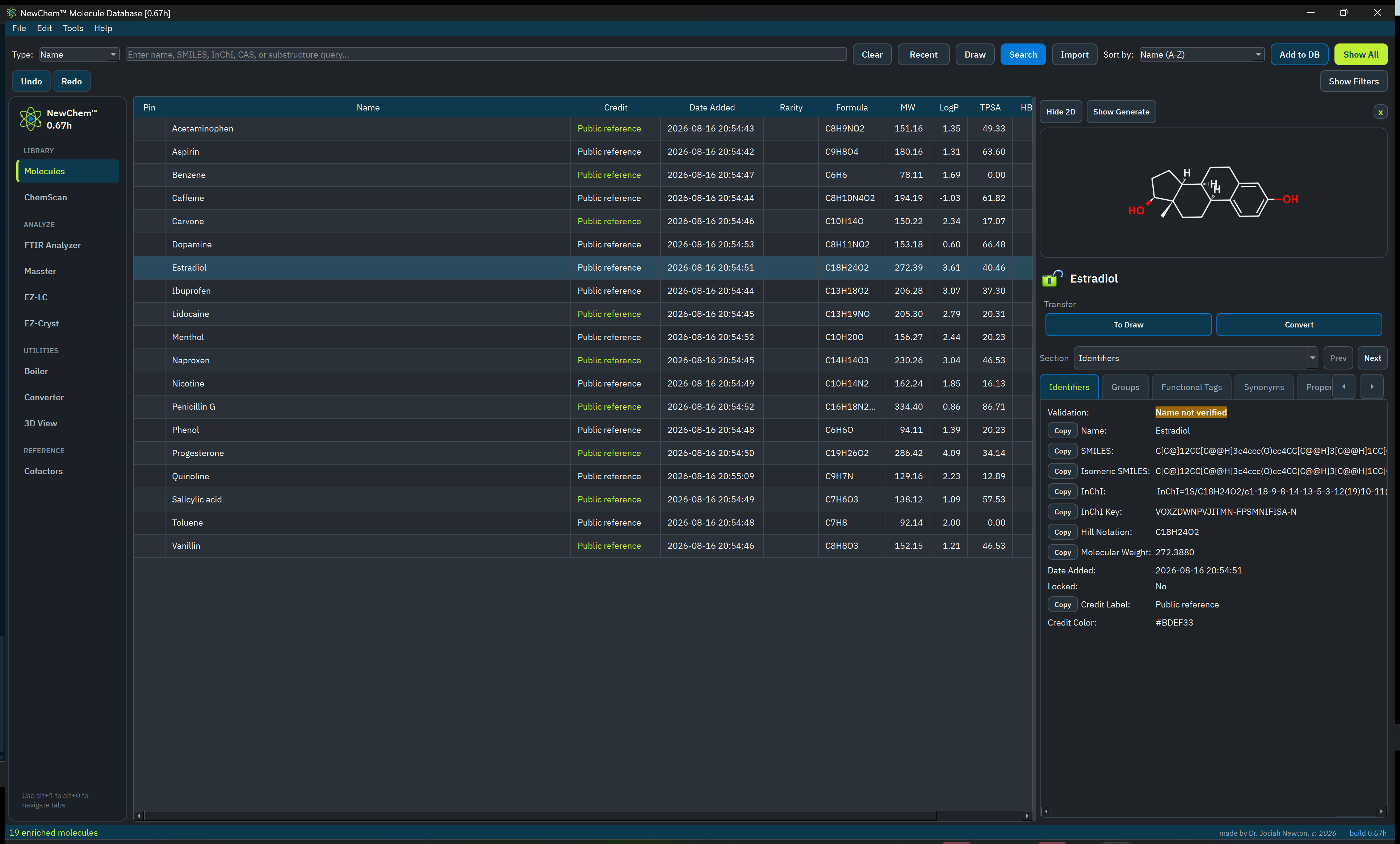
The durable center of NewChem™: searchable local records with structures, identifiers, properties, notes, provenance, and lock state.
Use it for
Search by name, SMILES, InChI, CAS number, or substructure
Add, import, rename, lock, and inspect records
See verified status and generated molecular properties
Undo record changes before they become mistakes
Good habit Lock records you consider authoritative. Verification communicates confidence; it does not replace your review.
Public-reference records shown for demonstration; your public library begins empty.
02
Recognize
ChemScan
Turn a chemical structure image into an editable result while keeping the human review step explicit.
Workflow
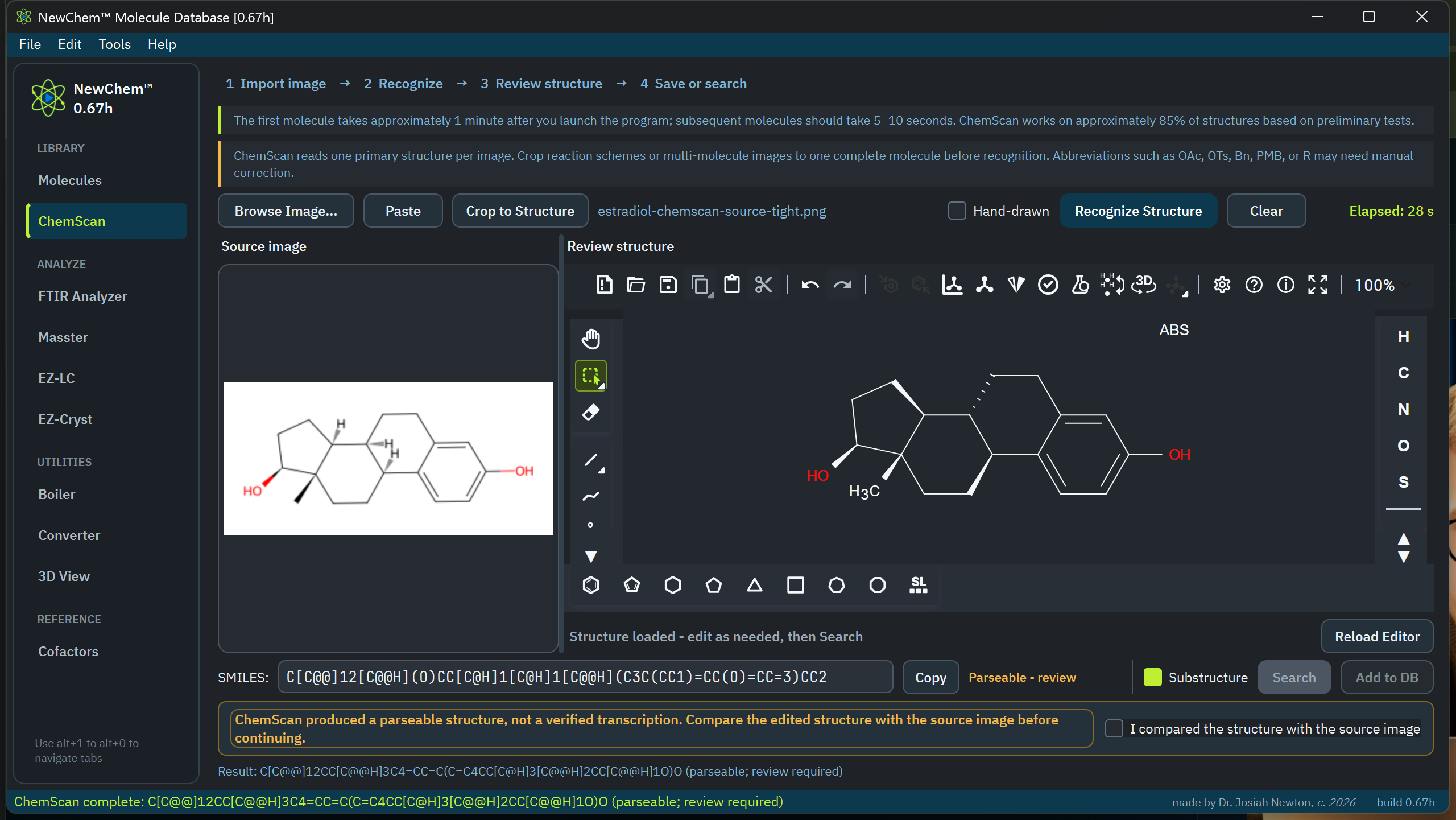
Open or paste the clearest source image available, then crop to one primary structure.
Run recognition; the first run can take longer while its local dependency initializes.
Compare the source and result, correct the structure, and acknowledge the review.
Search your library or add the reviewed molecule.
Know the edge Multi-step schemes, abbreviations such as OTs or PMB, radicals, lone pairs, and dense annotations need manual interpretation. 0.67k blocks disconnected multi-structure results from database actions rather than presenting them as one molecule.
Estradiol recognition · compare the source, edit the result, and explicitly acknowledge review.
03
Analyze
Masster
Inspect mass-spectrometry data without leaving the NewChem™ workspace.
Core moves
Open supported vendor raw data and common open mass-spectrometry formats
Move between scans, chromatograms, and peak views
Interact with peaks and keep undo/redo close at hand
Export the analysis for reporting or the next workflow
Agilent MassHunter LC–MS reference run · 59 scans with chromatogram, labelled spectrum, and evidence.
04
Analyze
FTIR Analyzer
Load instrument data, establish the baseline, and turn an experimental spectrum into a readable set of bands.
Accepted work
Open OMNIC SPA, Bruker OPUS, JCAMP-DX, and text or CSV spectra
Adjust the view and baseline before assigning bands
Pick, label, undo, and redo peaks
Export the spectrum and its picked-peak evidence
Read the sample Confirm axis direction and units before interpreting exported or converted data.
Experimental carvone spectrum · seven picked and labelled bands with evidence in view.
05
Separate
EZ-LC
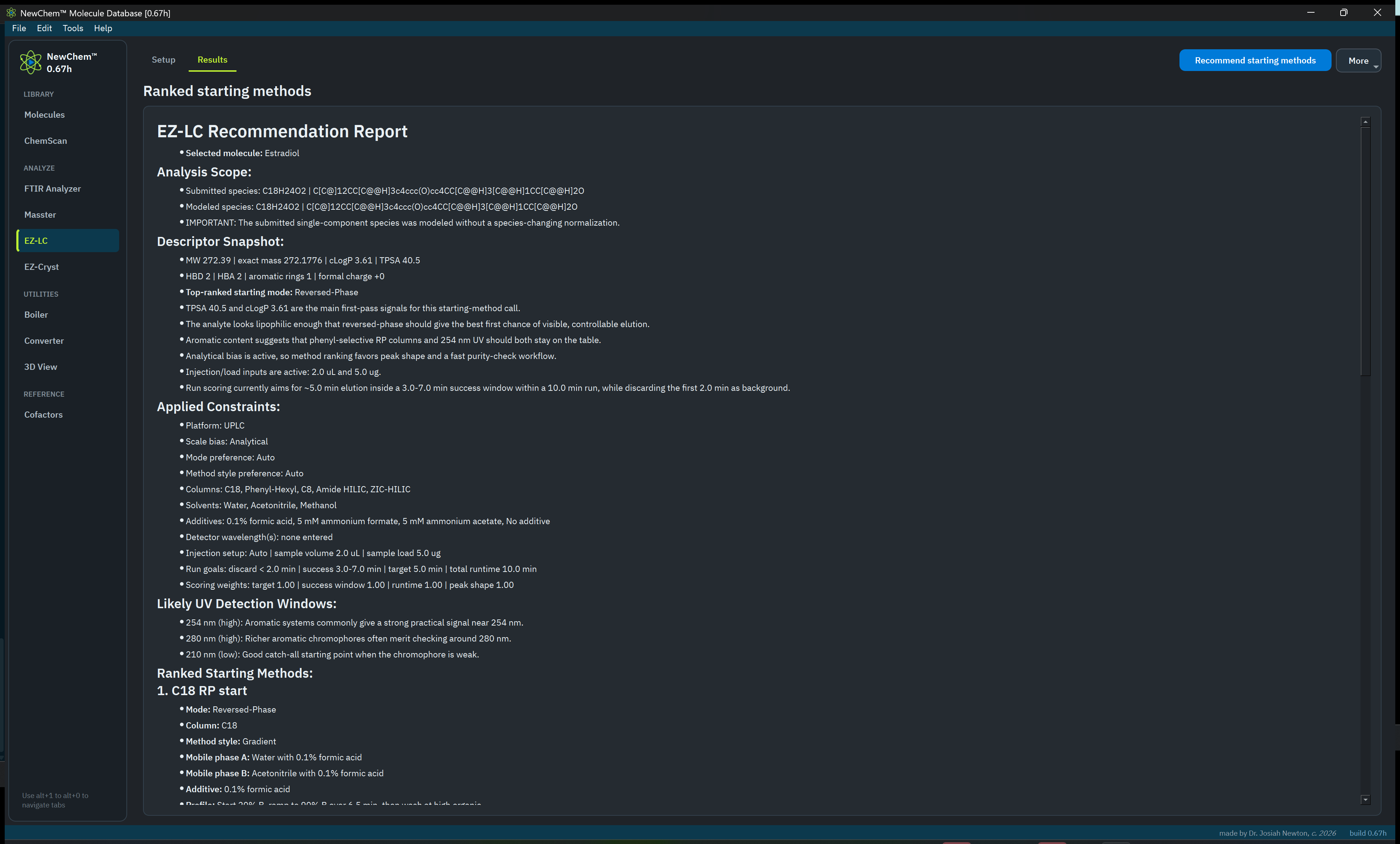
Use the selected molecule to generate a defensible starting point for liquid chromatography method development.
Before you run it
Select the intended structure in Molecules
Review the molecular context used by the recommendation
Treat the output as a starting condition, not a finished method
Estradiol method-development starting point · ranked conditions with explicit constraints.
06
Crystallize
EZ-Cryst
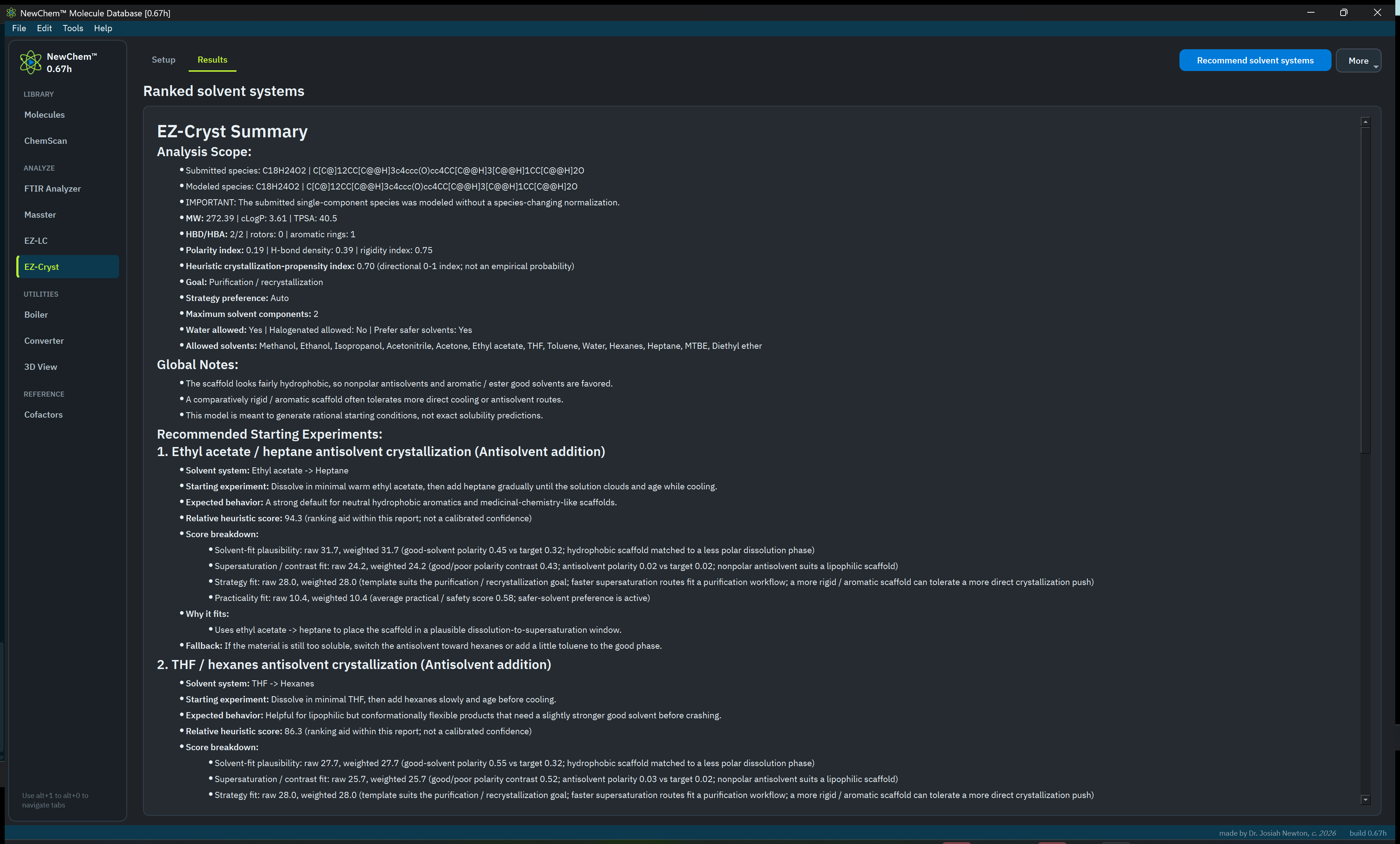
Translate the selected molecule into practical crystallization starting points and an experimental plan.
Use the recommendation
Start with a reviewed molecule record
Compare solvent and technique suggestions
Record what worked in your own experimental system
Estradiol crystallization plan · ranked solvent systems and practical starting experiments.
07
Utilities
Converter
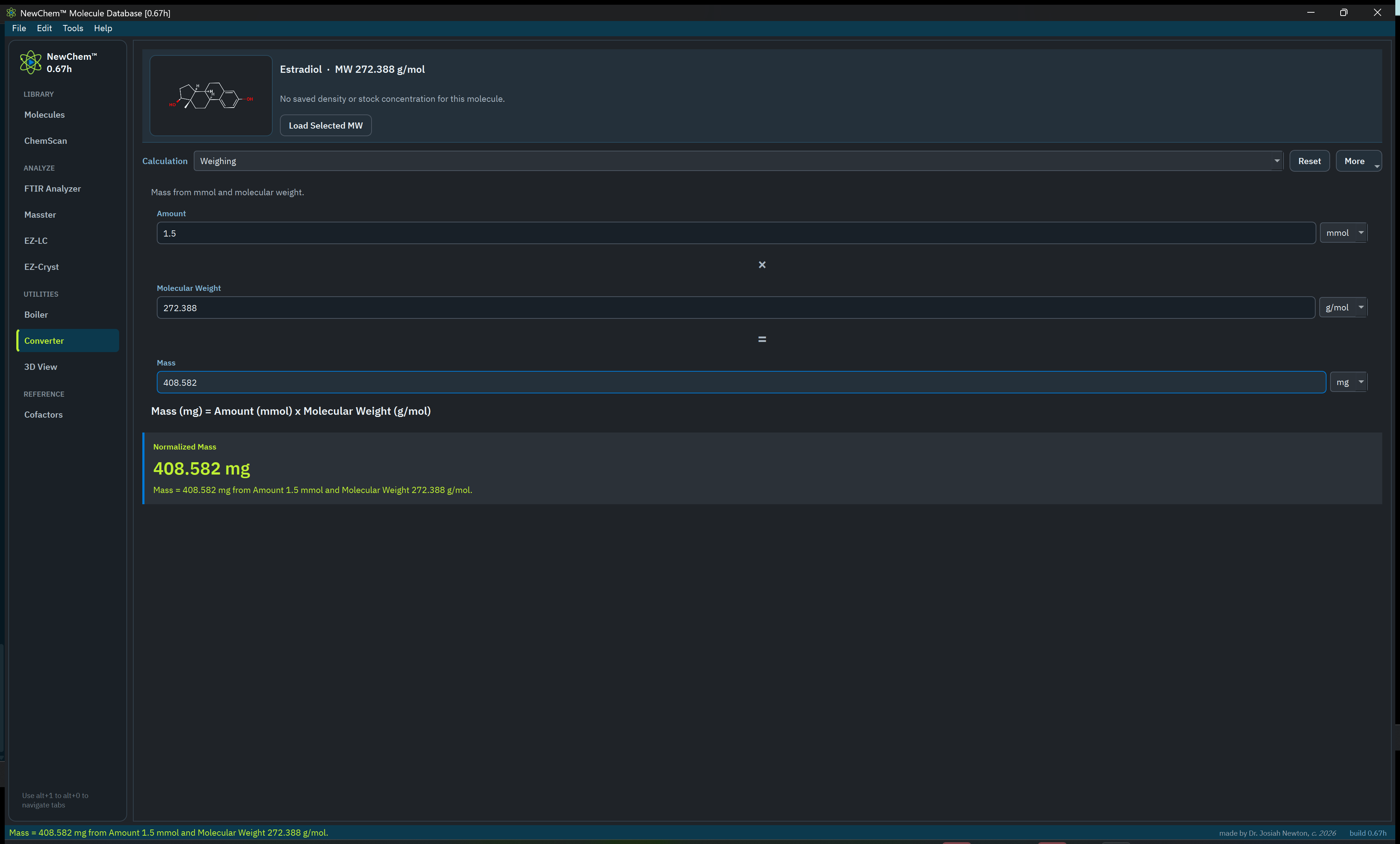
Keep recurring bench calculations close to the molecule and instrument work they support.
Use it for
Common chemistry unit conversions
Concentration and amount calculations
Fast checks before committing a setup
Persistent inputs where the workflow supports them
Selected-molecule calculation · 1.5 mmol Estradiol normalizes to 408.582 mg.
08
Utilities
Boiler
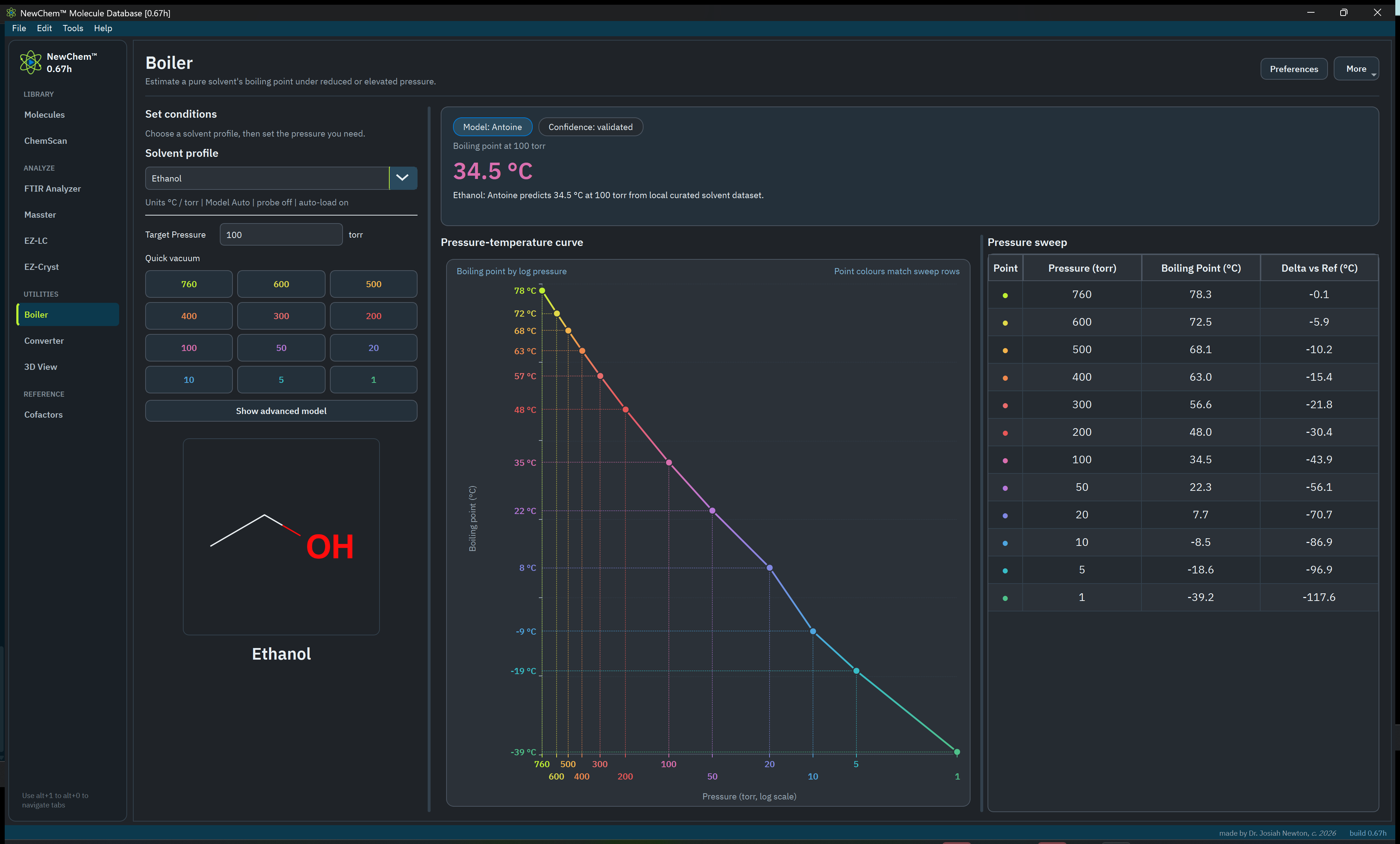
Estimate pressure-dependent boiling behavior from local solvent reference data.
Keep in mind
Choose the correct solvent record
Enter the intended pressure and verify its units
Use the estimate to plan, then respect real apparatus limits
Your recent working context persists locally
Ethanol at 100 torr · Antoine model, structure, curve, and pressure sweep.
09
Utilities
3D View
Generate and inspect an RDKit conformer for the molecule currently selected in the library.
What it is
A fast local spatial view of the selected structure
Useful for inspection, teaching, and orientation
Rotatable and connected to the library selection
Not a substitute for a validated computational geometry
10
Reference
Cofactors
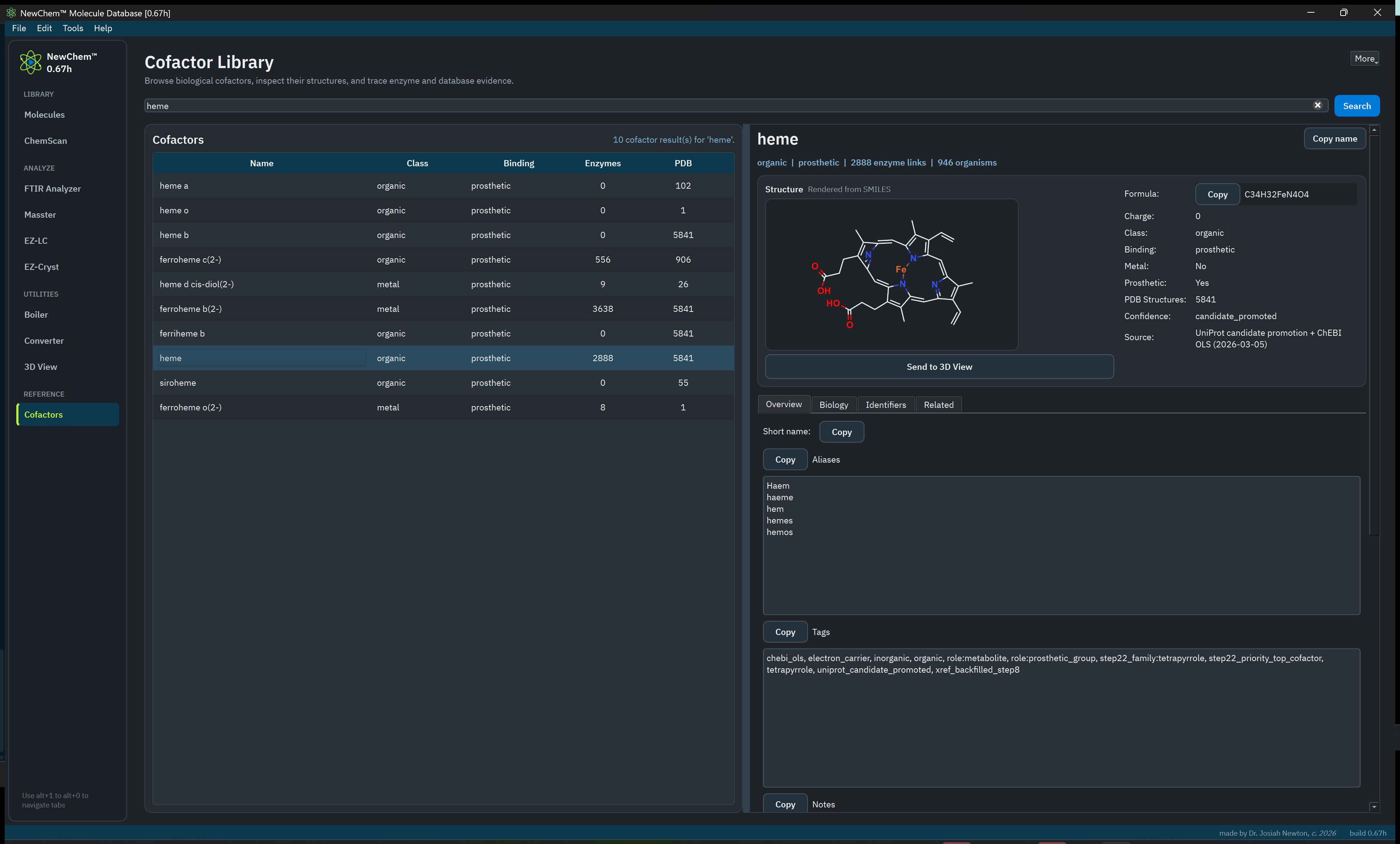
A focused biochemical reference that stays connected to the rest of the workspace.
Find the context
Search curated cofactor records
Inspect identifiers and chemical context
Send a supported cofactor structure directly to 3D View
The public installer does not arrive with preloaded molecule records. The records you add are yours.
No hidden workstation
The installed app carries its own required runtime and is tested without depending on the development environment.
A packaged command line
The included newchem command returns stable JSON for all twelve automation workspaces, including library, analytical, recommendation, calculation, 3D, cofactor, configuration, and database operations.
An unsigned warning
Current builds are unsigned. Windows or macOS may ask you to confirm the first launch; verify that your download came from newchem.ca.
Visible installation progress
The Windows installer reports its current stage while it validates, extracts, prepares ChemScan, registers shortcuts, and finishes.
Local by default
The core library and working data stay on your machine. NewChem™ does not require an account or subscription.
Keep the guide nearby
Learn one tool. Own the whole workflow.
NewChem™ is deliberately broad, but each workspace is meant to be understandable on its own. Start with the problem in front of you.